What are the TTK Testing controls?
Use M1 to fire, M2 to aim, C to crouch, Q and E to lean left and right, number keys to swap weapons, and P to activate helmetcam. These are the controls listed by the official game description.
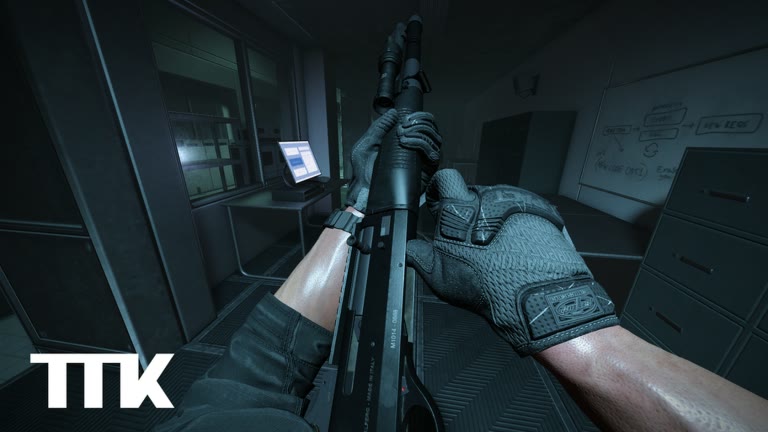
Confirmed control list
The table below sticks to actions documented on the official Roblox listing. It does not assign undocumented controller buttons or mobile screen positions. TTK Testing has a compatibility focus that includes PC, mobile, Xbox, and PS5, but the public description gives the clearest named inputs for keyboard and mouse.
| Action | Input | How to check it |
|---|---|---|
| Fire | M1 | Press once while your weapon is ready |
| Aim | M2 | Check that the sight view appears |
| Crouch | C | Watch for the camera and stance change |
| Lean left | Q | Test beside the left edge of cover |
| Lean right | E | Test beside the right edge of cover |
| Swap weapon | Number keys | Select a different available slot |
| Helmetcam | P | Press separately from the aim input |
PC, mobile and console controls
Sable Digital lists PC, mobile, Xbox, and PS5 as compatibility targets. The public description only spells out keyboard and mouse inputs, so the safest answer for touch and controller players is to follow the labels shown by the current client instead of copying an invented button map.
- Helmetcam has a separate P-key and troubleshooting guide.
| Device | What is confirmed | What to do |
|---|---|---|
| PC | M1, M2, C, Q/E, number keys, and P | Learn the listed keyboard and mouse inputs first. |
| Mobile | Compatibility is listed; exact touch layout is not published | Test aim, crouch, lean, swap, and camera actions in the live client. |
| Xbox / PS5 | Compatibility is listed; no permanent controller map is published | Use the current on-screen prompts. |
Build a usable control rhythm
Knowing a key is different from reaching it during a fight. Practice short combinations that match real decisions: aim and fire, crouch behind cover, lean to check an angle, then move away. Keep the sequence slow until you stop searching for each key.
This is editorial practice advice rather than an official tutorial. It avoids assumptions about recoil, movement speed, or weapon statistics. The goal is simply to make the confirmed actions available when you need them.
- Place your hand naturally, then press C, Q, and E without looking down.
- Aim with M2 before firing with M1 so each input has a clear purpose.
- Practice one left-side lean and one right-side lean from solid cover.
- Swap to another available slot with a number key and return to the first slot.
- Use P outside an active fight until helmetcam no longer surprises you.
If a control does not respond
First check the simple causes. The game window may not have focus, a menu may be open, or the action may not make sense in your current state. Repeat the input once in a quiet part of the match rather than rapidly pressing several keys.
If you are playing on mobile or console, use the controls shown by the live client. Do not assume the keyboard letters translate to a particular button. Platform support is an official focus, but this page will not invent layouts that the developer has not documented publicly.
- Click or select the game window so it receives input.
- Close any open menu before testing an action.
- Check that an available weapon slot is selected before testing fire or swap.
- Rejoin once if several unrelated inputs stop responding.
- Check the official listing or update notes if the live interface has changed.
What the official control list does not confirm
The official description confirms the action names and PC inputs above. It does not publish a complete sensitivity recommendation, a best keybind layout, or a fixed controller map. Treat any such recommendation as a player's preference unless Sable Digital documents it.
The current format is a public FFA test with up to 12 players. Planned co-op PVE, story missions, team PVP, Survival, Missions, Quick Play, and Ground War may create different control needs later, but planned modes should not be used as proof of current bindings.
Quick answers
What are the confirmed PC controls?
Use M1 to fire, M2 to aim, C to crouch, Q and E to lean left and right, number keys to swap weapons, and P to activate helmetcam. These are the controls listed by the official game description.
Are mobile, Xbox, and PS5 button maps published?
Sable Digital lists PC, mobile, Xbox, and PS5 as compatibility targets. The public description only spells out keyboard and mouse inputs, so the safest answer for touch and controller players is to follow the labels shown by the current client instead of copying an invented button map.
What if a control does not respond?
First check the simple causes. The game window may not have focus, a menu may be open, or the action may not make sense in your current state. Repeat the input once in a quiet part of the match rather than rapidly pressing several keys.
What does the official control list not confirm?
The official description confirms the action names and PC inputs above. It does not publish a complete sensitivity recommendation, a best keybind layout, or a fixed controller map.
Do planned modes change the current bindings?
The current format is a public FFA test with up to 12 players. Planned co-op PVE, story missions, team PVP, Survival, Missions, Quick Play, and Ground War may create different control needs later, but planned modes should not be used as proof of current bindings.
Where the PC list stops
Last checked: October 25, 2026. The official description still binds fire to M1, aim to M2, crouch to C, lean to Q and E, weapon swap to the number keys, and helmetcam to P. Nothing in the October 25 API name change — the pumpkin and [NEW AR15] — rebinds those keys. The updated field of 2026-10-23 UTC does not itemize input changes. If a key starts failing after an update, use the checks already on this page before you assume the bind was deleted.
Mobile, Xbox, and PS5 remain named platforms without a published button chart. The mobile page and the console page tell you to find the same actions from on-screen labels and to mark anything you cannot see as unconfirmed. Do not paste the PC letters onto a touch layout or assign triggers this page never listed. Generic Roblox habits are labeled as habits there, not as TTK Testing facts.
Two actions players hunt are deliberately absent from the official list. Reporting is not given a key. The report system is in testing and can use a 3D replay to check cheating, which is the whole sentence on the report page. Look for a menu label. Door kicking, lockpicking, lasers, flashlights, stances, and callouts are June 2, 2026 DevForum feature names, also without keys, except that crouch and lean already have C, Q, and E. Do not invent F-key variants for them. The glossary keeps those words from turning into binds.
Swapping to whatever the client calls AR15 is still a number key, then a look at the label. The title bracket does not reserve a slot. Follow the AR15 method if you want a personal note, and do not turn that note into recoil values. Transparent Optics stays a setting, not a key. The FFA habits page uses this control list in a 12-player free-for-all and adds no new inputs.
Same actions, unconfirmed buttons
If you play on a phone or a console, translate this page into a search, not into a diagram. You are looking for fire, aim, crouch, lean, swap, and helmetcam. The letters M1, M2, C, Q, E, and P stay on the keyboard. The glossary says ADS is slang for the aim action. Instructions should keep saying aim. A friend on another device may see different icons. Date both notes instead of voting on a winner. The description's update cadence is weekly and sometimes daily, so an icon can move after the updated field leaves 2026-10-23.
How this page compares / what we won't publish
This page is the confirmed input list: M1 fires, M2 aims, C crouches, Q and E lean, the number keys swap weapons, and P is helmetcam. Transparent Optics stays a setting, described as simulating both eyes open. Competitor "advanced controls" articles usually continue into extra binds, stance keys, door-kick keys, and numeric sensitivities. Those continuations are what we will not publish here. The June 2, 2026 DevForum post names stances, callouts, door kicking, lockpicking, lasers, and flashlights, and it does not assign them keys. A name is not a bind. Mobile and console are supported platforms. They do not get a fan diagram that pretends to be the official chart.
What you get instead is a practice page that only stacks the keys already on this list: lean then aim, a crouch peek, a swap that waits for the on-screen label, and a one-toggle optics comparison. Helmetcam stays a camera you test apart from M2. We will not publish frame counts, lean angles, or a "best" control scheme for close range or free-for-all. The builds page is the place those situations become questions rather than layouts. The roadmap page is the place future modes stay future, so this control list is not quietly expanded with vehicle binds the client has not shown.