How do you lean in TTK Testing?
Use Q for a left lean and E for a right lean. Stand close enough to cover that the lean changes what you can see, then expose only as long as you need to check or engage the angle.
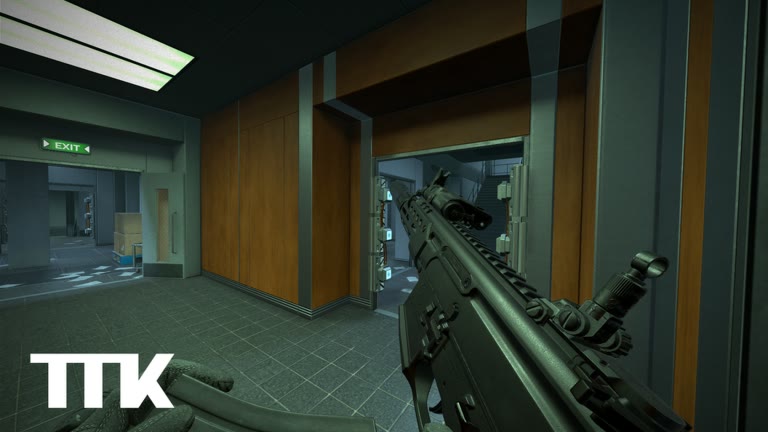
Match the key to the side of cover
Q and E are the officially listed lean inputs. The useful part is not the key itself but the relationship between your body, the cover, and the angle you want to see. At a left edge, test Q; at a right edge, test E. If the lean moves your view farther into the wall or exposes you without revealing the angle, reset your position.
The official listing does not claim that lean hides your whole character or changes incoming damage. Treat it as a viewing and positioning tool, not protection. The safest assumption is that an opponent can still see and hit exposed parts of your character.
| Situation | Input to test | Useful result |
|---|---|---|
| Checking past a left edge | Q | The angle becomes visible while cover remains useful |
| Checking past a right edge | E | The angle becomes visible without stepping fully out |
| Standing in open space | Neither as a default | Move to cover before relying on lean |
| Angle is still blocked | Reset position | Adjust your distance or choose another edge |
Use a repeatable peek routine
This routine is editorial practice advice, not a description of hidden game rules. It gives each peek a clear question: is anyone holding this line, and can you act before staying exposed too long? Randomly tapping Q and E makes your own view harder to read.
- Approach cover and stop where the edge is visible without crossing it.
- Place your aim near the likely opening before leaning.
- Press the lean key that matches the side you are checking.
- Read the angle once; fire only if you have a clear reason to do so.
- Return behind cover, then move or repeat with a deliberate timing change.
Fix the four common lean mistakes
New players often hold a lean for too long because the view feels safer than stepping out. That feeling is not evidence that the character is hidden. Another common error is leaning from too far behind cover, where the wall blocks the sight picture and encourages a wider follow-up movement.
You can diagnose most problems by watching what the lean accomplishes. If it reveals no new information, changes your aim unpredictably, or leaves you staring at the same angle for several seconds, reset and make a simpler move.
- Open-ground leaning: find cover first.
- Holding one angle too long: return and change timing or position.
- Leaning the wrong direction: match Q with the left edge and E with the right edge.
- Aiming at the wall: set your view near the opening before pressing lean.
Practice without inventing a perfect technique
TTK Testing is a public FFA test, so use live rounds to compare simple choices rather than chasing a universal peek formula. Try the same type of edge twice: once with a brief lean and once by moving out more widely. Notice which option let you understand the angle sooner.
Future modes could change the context. Sable Digital has discussed planned team PVP and cooperative modes, while the developer discussion names Quick Play and Ground War among future directions. Those plans may make coordinated peeks more important, but they do not change the current confirmed keys or prove that any team mechanic is live now.