Should you use Transparent Optics?
Use it if the sight housing distracts you or hides useful space around your target. Leave it off if the normal sight picture is easier for you to read. The official description confirms the option and its purpose, but it does not prescribe one best choice for every player or device.
What the setting is for
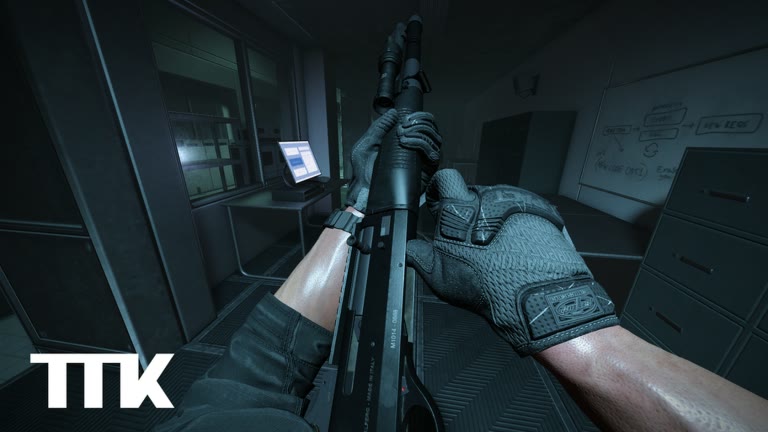
The official Roblox description says the Transparent Optics setting simulates aiming with both eyes open for better sight visibility. In practical terms, the option is about how much of the view around the optic remains readable while aiming. It does not change the confirmed aim control: M2 is still the input used to aim.
That official statement is the reliable boundary. It does not confirm a damage bonus, accuracy bonus, recoil reduction, zoom level, or competitive advantage. Any claim about those effects needs separate evidence from the live build. Treat Transparent Optics as a visibility preference unless Sable Digital documents something more specific.
| Question | Useful answer |
|---|---|
| What is confirmed? | It is a setting that simulates both-eyes-open aiming for better sight visibility. |
| Does it replace aiming? | No. M2 remains the confirmed aim input. |
| Is it always better? | No official source names a universal best choice. |
| Does it change weapon stats? | No such effect is confirmed by the official description. |
Run a fair two-minute comparison
A useful comparison keeps everything except the setting as similar as possible. Do not judge it from one hurried fight. Pick a repeatable view, aim at the same type of object, and pay attention to what you can see beside and below the sight.
- Enter a quiet moment in the public test and choose a fixed object with visible space around it.
- Aim with M2 using the normal optic view and note which parts of the scene the sight body covers.
- Change only Transparent Optics, return to the same position, and aim at the same object again.
- Move your aim across the edge of cover and compare how quickly you notice nearby movement.
- Keep the version that makes the target and its surroundings easier to read without pulling your attention away from the center.
Check it on the device you actually play
TTK Testing is being developed with PC, mobile, Xbox, and PS5 compatibility in mind. A sight picture that feels clear on a large monitor may feel crowded on a smaller screen, while transparency that helps on mobile may look distracting elsewhere. Make the decision on your normal display and at your normal viewing distance.
Also test during movement, crouching with C, and leaning with Q or E. Those actions change what appears around the sight. This is practice advice, not an official accuracy claim.
- Test close and distant visual targets without inventing a preferred range.
- Check both a bright view and a darker interior when the live map allows it.
- Compare while stationary first, then while moving or leaning.
- Recheck after a game update if the sight picture visibly changes.
A simple decision rule
Keep Transparent Optics on when it helps you see the target area sooner and makes the optic body less distracting. Turn it off when transparency makes the sight harder to interpret or causes you to lose the center of the picture. There is no need to copy another player's choice when the option exists to solve a visual preference.
If aiming still feels unclear, verify the basic controls before blaming the setting: M2 aims, Q and E lean, and C crouches. Test one change at a time. That gives you a useful answer instead of a stack of adjustments whose effects are impossible to separate.