How do you use helmetcam in TTK Testing?
Press P on PC. If the view does not change, close menus, make sure the game window has focus, and test P again during a quiet moment. Do not confuse helmetcam with M2, which is the confirmed aim input.
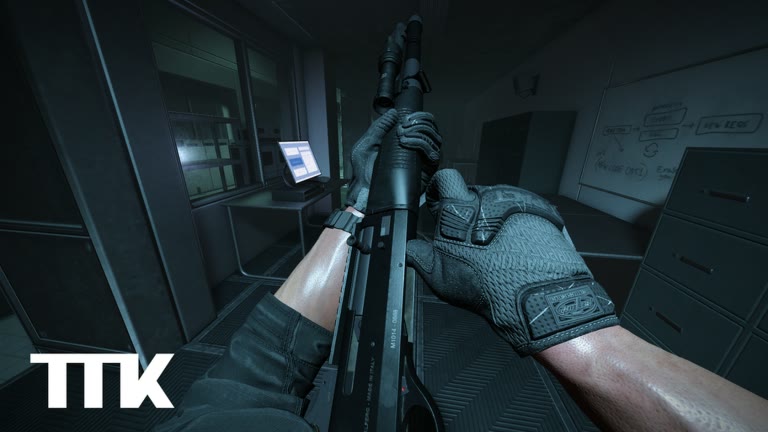
Helmetcam and aiming solve different problems
Helmetcam changes the camera presentation. Treat it as a view mode, not a substitute for aiming. M2 raises or aligns the weapon view for a more deliberate sight picture. Transparent Optics is an official settings option intended to improve visibility through optics and should be tested separately.
Because these actions affect what you see, changing all three at once makes troubleshooting harder. Start from the normal view, test P, then M2, then Transparent Optics.
| Action | Confirmed input | Job |
|---|---|---|
| Helmetcam | P | Changes the camera presentation |
| Aim | M2 | Raises or aligns the weapon view |
| Transparent Optics | Settings option | Improves visibility through optics if the sight picture is hard to read |
A 30-second helmetcam check
- Stand behind cover or in a low-pressure part of the current match.
- Press P once and note whether the camera presentation changes.
- Use M2 separately so you can identify the aim action.
- Move and lean once in each direction to check whether the view remains readable.
- Return to your preferred view before entering a busy angle.
If the P key does not respond
If the live client no longer matches this page, use the official Roblox description as the first checkpoint and note the date. TTK Testing is an active public test, so bindings can change.
- Click the game window so it receives keyboard input.
- Close the Roblox menu or any overlay before testing again.
- Press P once rather than repeating several controls together.
- Rejoin once if unrelated inputs have also stopped responding.
- On mobile, Xbox, or PS5, follow the current client prompts; the official page does not publish a permanent equivalent for P.
Choose the view you can actually read
Helmetcam is useful only when you can still identify cover edges, targets, and your exit route. If the presentation makes a particular sight hard to read, compare the normal view and the documented Transparent Optics option before changing several unrelated settings.
This page does not claim that helmetcam changes damage, recoil, hit registration, or movement speed. Those would require direct build-specific evidence.
P is still P after the title change
Last checked: October 25, 2026. The official description still tells PC players to press P for helmetcam. The name field "TTK Testing 🎃 [NEW AR15]" does not move that key onto the new weapon, and it does not merge helmetcam with M2 aim. If the AR15 sight feels worse, test Transparent Optics, which simulates both eyes open. Test helmetcam as its own press, in a quieter moment, exactly as the routine above says. A weapon label is not a camera mode.
The report system's 3D replay is also not helmetcam. Replay, in the description, is for checking cheating inside a report flow that is still in testing. It is not a free camera you owe yourself after every death, and it is not bound to P in any sentence we have. The report page keeps that boundary. If P does nothing, the older checks on this page still come first: focus, an open menu, a state where the action cannot apply. Then consider that a weekly or daily update, with an updated field of 2026-10-23 UTC at our last API read, can move a control without a patch essay. Re-test. Do not invent a replacement key.
On Xbox, PS5, and mobile there is still no published helmetcam button. Look for a prompt. The console and mobile pages say absence is a finding, not a hole you fill with a bumper. In a 12-player free-for-all, do not learn the camera while standing in the open. The FFA habit is to leave angles, not to sightsee in them. One deliberate press per session is enough until you know which view you fight in. Write that choice down with the date and the title string. The choice is yours. It is not a required setting and not a tier.
Viewmodel animation is credited to Altron in the June 2 post. That explains why a weapon can look different in the hands. It does not publish a helmetcam field of view. If a clip measures one, leave the number in the clip. The glossary entry for helmetcam is the short version of this boundary, and the controls page is the list P belongs to.
Three pictures, one decision
Picture one is the view before you aim. Picture two is M2. Picture three is P. Name which one you will use when someone appears, and switch to it before the fight, not during. Transparent Optics belongs to picture two, because it is about the aimed sight. It does not belong to picture three unless you personally observe that P also changes when the setting changes. If you did not test that, do not claim it. The optics page stays with the setting. This page stays with P. Mixing them in one tip is how both guides get a fact neither source supports.
If picture three makes you lose the exit from cover, stop using it in the 12-player test. The cap means you rarely get a long look. A camera that hides the exit is a worse habit than a plain view you understand. That is editorial, and it is allowed because it does not invent a field-of-view number. Console and touch players who never find a helmetcam prompt should fight in picture one or two and write "no prompt" on the note. The absence is allowed. The PC list is not a debt the other platforms have to pay with a guessed button.
Do not confuse P with the report replay
Players hear "camera" and combine helmetcam with the 3D replay in the report system. One is a view you trigger with P on PC while you play. The other is a review tool the description ties to cheat reports that are still in testing. You do not file a report by pressing P, and you do not aim by opening a replay. If a menu later offers a watch button, that button is the report feature, dated when you see it. Until then, keep P in the control list and keep the replay in the description's testing sentence. The glossary splits the same pair so other articles do not merge them back together.
Log one press, not a loadout
Write whether P changed the view, whether you could still see an exit, and whether you returned to the fight view on purpose. That is the whole helmetcam log. Do not add a sensitivity, a weapon grade, or a statement about the report replay. If P did nothing, write the menu state you were in and try once more later in the same session. A weekly update can move a key, and the updated field was 2026-10-23 UTC at our October 25 read, but one failed press is not yet a patch note. The controls page lists the boring causes first: focus, a popup, a state where the action cannot apply.
Keep the press out of the first five seconds of a life in a 12-player server. You are readable to anyone already watching that spawn area, and a camera change makes you slower to leave. Learn the view between fights. Then decide, using the three-picture rule above, which view you will keep. Decision made, stop toggling. Consistency beats a camera you only half understand.
Pick the fight view and keep it
Once you know which picture you can shoot from, stop touring the others in the same life. Helmetcam is a check, like lean. Checks that never end are how a 12-player server shoots you while you admire the camera. The FFA habits assume you are in a view you understand before the angle opens. If P is interesting, satisfy the curiosity between rounds. If it is not useful, leave it off. Neither choice needs a number, and neither choice is a setting you must copy from someone else.